
Gable · Marketing for real estate brokerages
Clear the listing queue.
Keep your Saturday.
Your listing posts, built from your own templates, back in Slack in under a minute in typical pilot use. You still approve every one.
For the marketing coordinator, in-house designer or brokerage owner who keeps every agent’s graphics moving. Gable takes on the retyping and photo fitting, so the next request doesn’t become your next twenty-minute job.
One uploaded photo. An editable Google Slides file. Your final say.
GableAPP7:13 AM
New Sold request from a listing agent
Can you send me the image?
Marketing coordinator7:21 AM
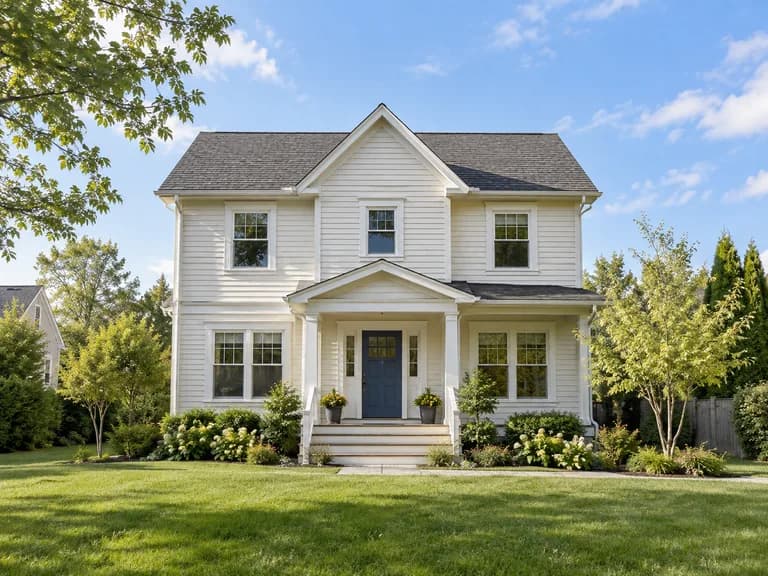
Uploaded photo · AI-generated demo home
GableAPP7:21 AM
Your flyer is ready.
Open the flyer
Editable Google Slides
I resized and fitted the photo and finished the flyer.
A month of real work, at one brokerage
August 11–September 8, 2026
- median, ready to link
- 26s
- finished flyers delivered
- 56
- agents served
- 52
- live template designs
- 6
Time starts when Gable has everything it needs, including the photo, and ends when the link reaches Slack. It excludes waiting for the upload and human review.
Slack integration · Real estate flyer automation
From the request form to your Slack thread.
Gable connects Google Forms and Sheets to Slack, where your marketing team already works. The request, photo handoff and finished Google Slides link stay in one thread, ready for human review. No separate Gable app or dashboard to open.
- 01
The agent submits the form
Google Forms writes the request into Sheets: listing details and the type of graphic needed. Gable brings the request into Slack.
- 02
You add the photo
Drop one property photo into the thread. Gable uses that upload; it does not search Drive, the MLS or the web for a substitute.
- 03
Gable fills the existing file
It transfers the supplied details, fits the photo to the measured frame and returns a link to the finished Google Slides flyer.
- 04
You review, edit and release it
Open the file, check the result and change anything you need. You decide when and where it is published.
The small detail that makes it look right
Fit the photo. Don’t stretch the house.
An agent’s photo rarely arrives in the shape your layout needs. Gable measures the frame in the actual template, then crops once. It never stretches the image to fill the space.
The demo photo
The fictional property, in its original proportions.

Stretched to fill
A forced fit changes the shape of the house.
Cropped to the frame
The proportions stay intact. The edges are cropped.
It asks instead of guessing
A missing price stays missing.
Every word on the flyer comes from the agent’s submission or a verified contact record. Gable does not write marketing copy, invent a selling point or fill a gap with a plausible number.
If the price or square footage wasn’t on the form, it leaves that information off and tells you. A wrong price or the wrong phone number on a client-facing flyer is more than a typo.
How missing information is handled
- Price
- Not suppliedLeft off the flyer
- Square footage
- Not suppliedLeft off the flyer
- Agent contact
- Verified recordCopied from that record
Illustration of the handling rule, not a transcription of a specific form.
It looks at its work before it says done
A finished file. With the things to check.
After rendering, Gable takes an image of the actual flyer. A vision model checks it against the supplied photo for a cut-off roofline, colliding text or a template placeholder that is still showing.
If it finds a problem, it sends the flyer with the note attached. You can open the actual file and decide what needs attention. The visual check is a second look, not a replacement for yours.
“I reduced the agent title and agent phone text sizes to keep them inside the template boxes.”
Your templates, not ours
Automated real estate flyers. Your design stays yours.
Upload your own Google Slides real estate templates during setup. We check the files with you and connect the listing fields and photo frames. Gable then fills your approved designs, keeping your fonts, layout and branding in place.
Illustrative flyer examples
Layout illustrations created with AI for this page. All people, homes, addresses and brokerage details are fictional. In your workflow, Gable fills your approved templates with real photos and information you supply.
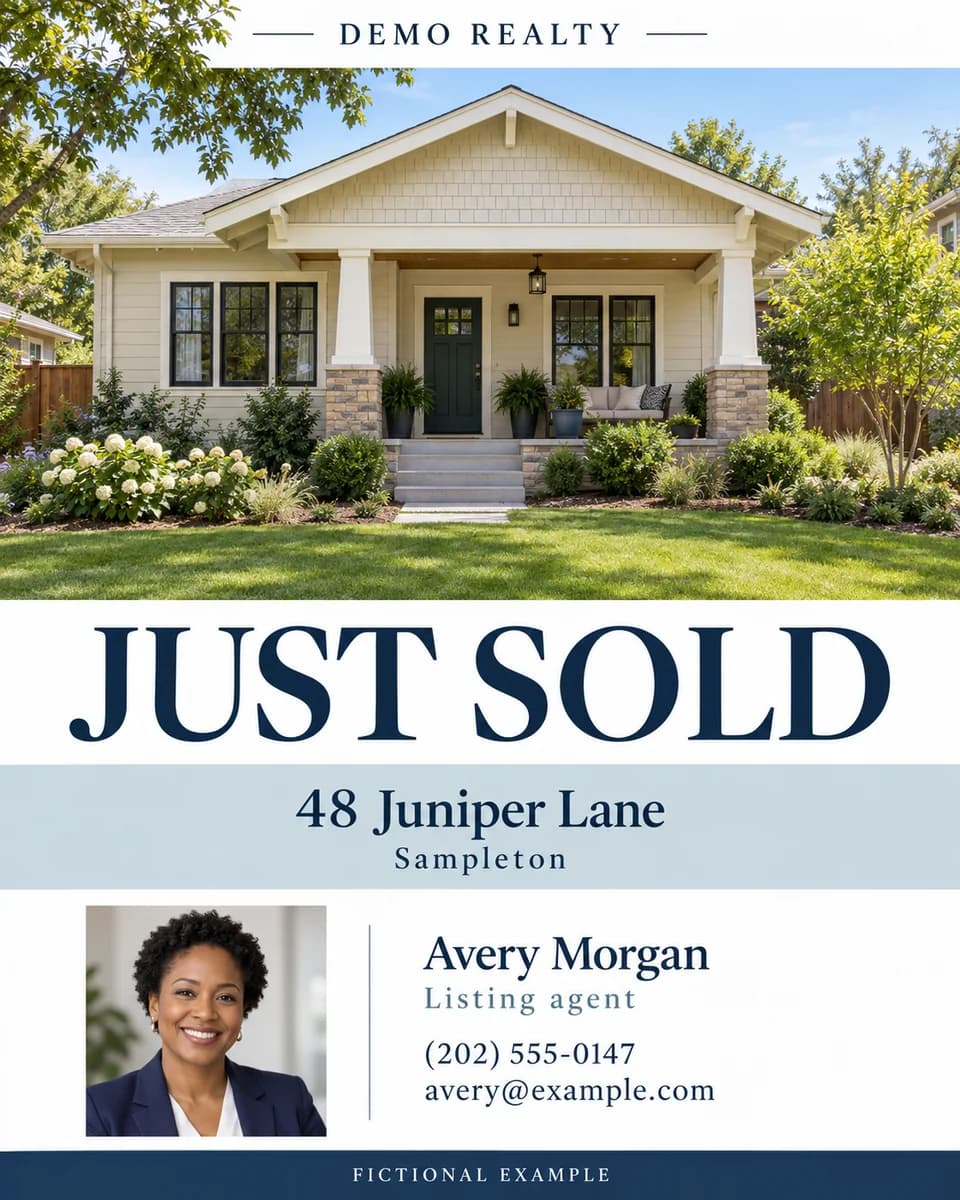
Just sold
A property photo, the sold announcement and your agent’s contact details.
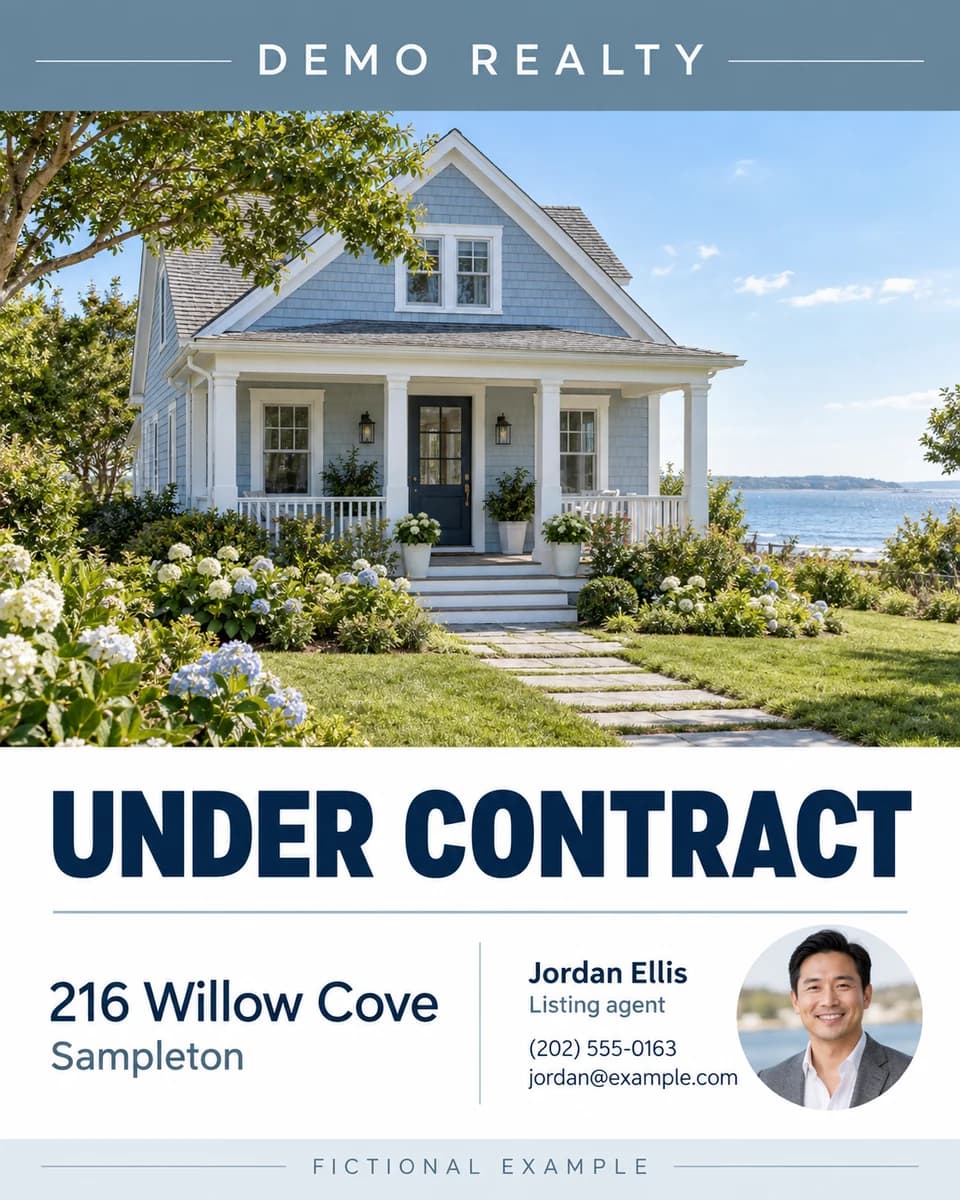
Under contract
A listing update with the same familiar brokerage branding.
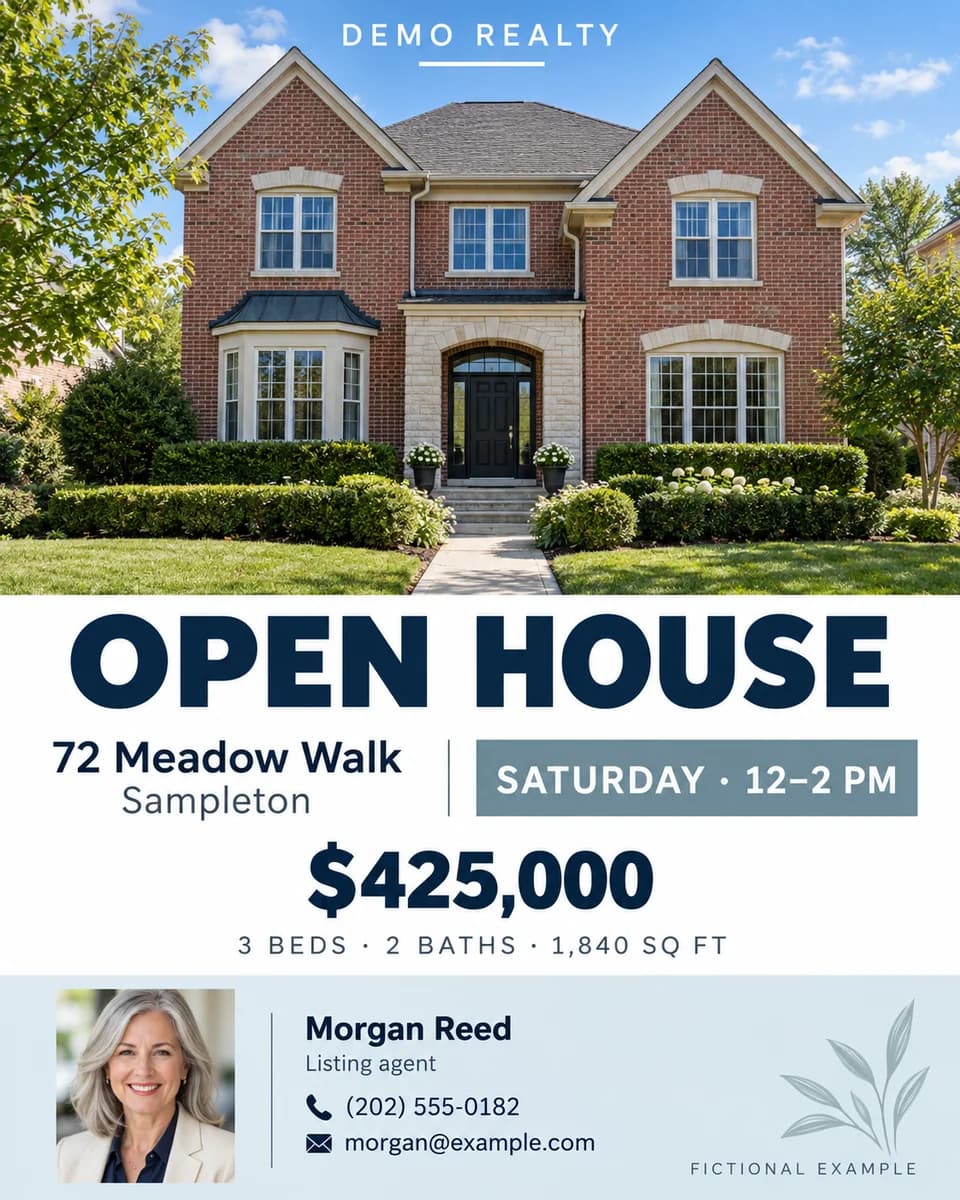
Open house
The visit time, price and property details together in one clear graphic.
Your real estate social media templates can look like your brokerage, right down to the agent details. The pilot uses six live designs at one brokerage. Every finished Google Slides file stays editable, so your designer can keep working in the original format.
- Upload your own templates at setup
- 6 live designs in the pilot
- Editable Google Slides output
- One person approves every graphic
Built with
 Slack
 OpenAI
 Claude
 Firecrawl
Put your queue in the picture
How much of your month is photo fitting and retyping?
Start with the number of static listing posts your team makes in a week. See what that work adds up to at twenty minutes per post.
Estimate: 20 minutes per post × 52 weeks ÷ 12 months. This is a planning assumption, not measured pilot time savings. Uploading the photo and reviewing the flyer still take your time.
Solo agent or small team? If you submit the request and make the graphic, you’re both people in this workflow. The same arithmetic applies.
What the pilot measured
Small numbers. A real paper trail.
In a month of live use at one brokerage, Gable delivered 56 finished flyers and served 52 agents. The middle half of ready-to-link times ran from 22 to 30 seconds; the slowest was 76 seconds.
Time starts when Gable has everything it needs, including the photo, and ends when the link reaches Slack. It excludes waiting for the upload and human review.
Production listings only. Pilot figures supplied by the team running Gable, as of September 8, 2026.
Model usage per delivered flyer
$0.10 median
$0.18 mean across delivered flyers.
Model usage only, per delivered flyer. This is not Gable’s price and excludes hosting, setup and human review.
Brokerage marketing automation, with clear limits
Marketing for real estate brokerages, one listing at a time.
Today: one brokerage’s templates, six designs, Google Forms + Sheets + Slack, and static listing posts. Every flyer comes back for a human to approve.
One human supplies one photo
No photo search in Drive, the MLS, a brokerage site or the web. No AI-generated property photos. Gable works with the actual image you upload.
No captions invented
It copies supplied listing details and verified contact information. There is no copywriting model in the flyer pipeline.
No automatic social publishing
Gable hands back a link. It does not post to Instagram, Facebook or anywhere else. You decide what leaves the building.
Static listing graphics only
Reels, Stories and video are outside this pilot’s supported workflow. Gable declines those requests instead of claiming to have made them.
Bring the template that keeps eating your week.
We’ll look at the file, the request form and the handoff with you, then tell you whether Gable fits your queue.
See it on your templates